The AI fitness app that builds your plan around you
Nutrify AI builds workout, run/walk and nutrition plans around your goals, your schedule and the equipment you actually have. Tell it what you want to achieve, and it does the planning — then adapts as you go.


What an AI fitness app actually does
A real AI fitness app does more than hand you a static PDF of exercises. It asks about your goal, your schedule, your equipment and your current level, then builds a structured programme that fits all four — and rewrites itself when any of them change. That is what Nutrify AI does.
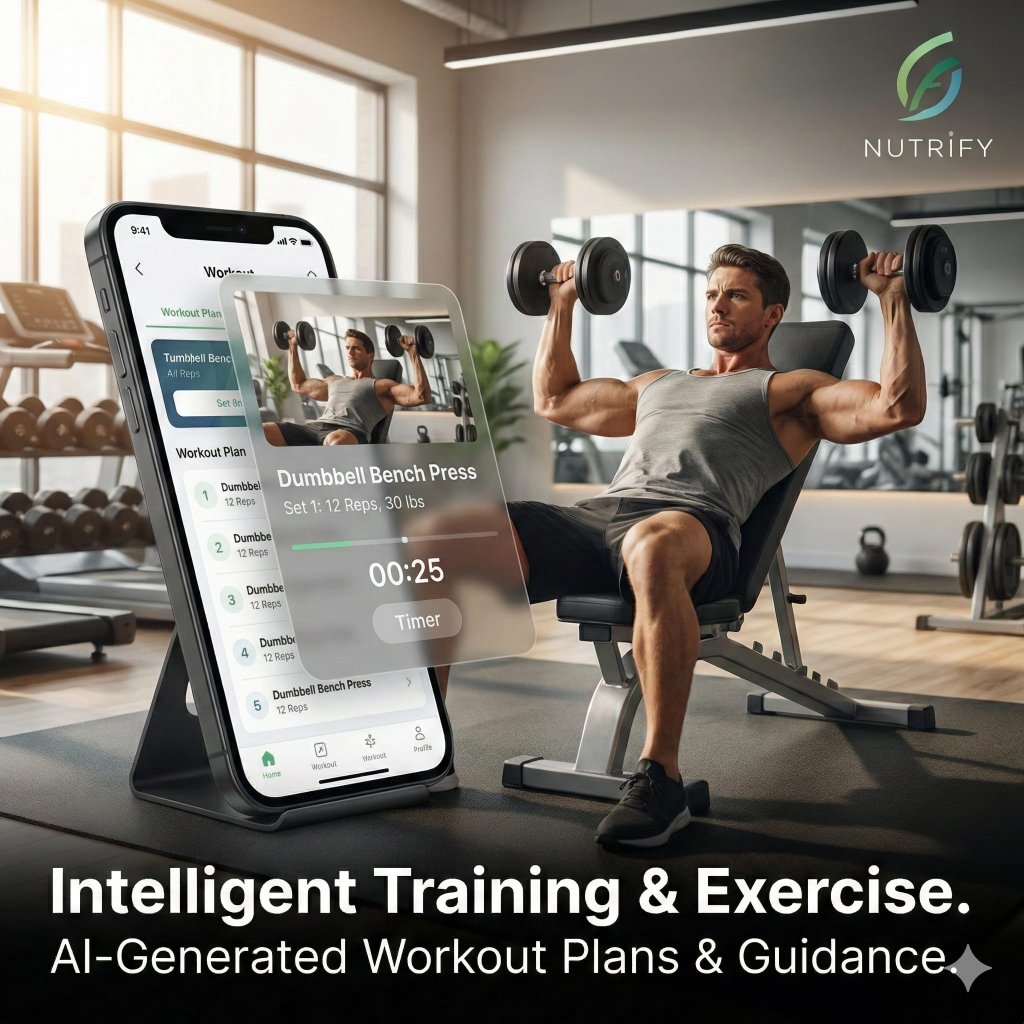
You tell the app how many days a week you can train, whether you train at home or in a gym, and whether you want to lose weight, run a 5K, build strength or just move more. The AI turns that into a week-by-week plan with specific sessions, sets, reps, rest and progression. Nothing is generic: two people with the same goal but different equipment get two different plans.
The difference from a template is that the plan is built around you. Week Setup builds your whole week around the training days, minutes and location you choose — and rest days stay rest days. Training plans are matched to your level, your equipment and your goal, and they adapt as you improve. If you want a fresh take, Redo day and Rebuild week regenerate a single day or the whole week, always confirming before they replace anything you have edited. The AI coach answers questions in context and can make small daily adjustments, but it never overrides your Week Setup rest days or approved sessions. And the Recovery Centre gives you a daily readiness score built from HRV, sleep, soreness and training load, so you know when to push and when to ease off.
Workout plans that fit your week
Your plan is built around the days you actually have free, not an ideal week nobody lives. Three sessions, five sessions, lunchtimes only — the AI works with whatever you give it.
- Home, gym or no equipment. Choose bodyweight sessions for the living room, dumbbell circuits for the gym, or full equipment programmes — every exercise is matched to what you have.
- Redo a day in one tap. Want a fresh session? Redo day regenerates a single day, and Rebuild week regenerates the whole week — both always confirm before replacing anything you have edited.
- Adapts as you improve. Training plans are matched to your level, equipment and goal and progress as you do, so the work stays right for where you are.
Run and walk plans for beginners
If running is your goal, Nutrify AI builds a progressive run and walk plan that meets you where you are. Couch-to-5K, a first 10K, or a marathon build — the AI sets your intervals, pace targets and weekly mileage, then nudges them up as your fitness improves. GPS tracking is built in, so every session is logged automatically.
Walking counts too. If you are starting from scratch, the plan blends walk and run intervals so you build fitness without getting hurt. For a deeper dive on running with AI, see our AI for runners page.
Fitness and nutrition in one app
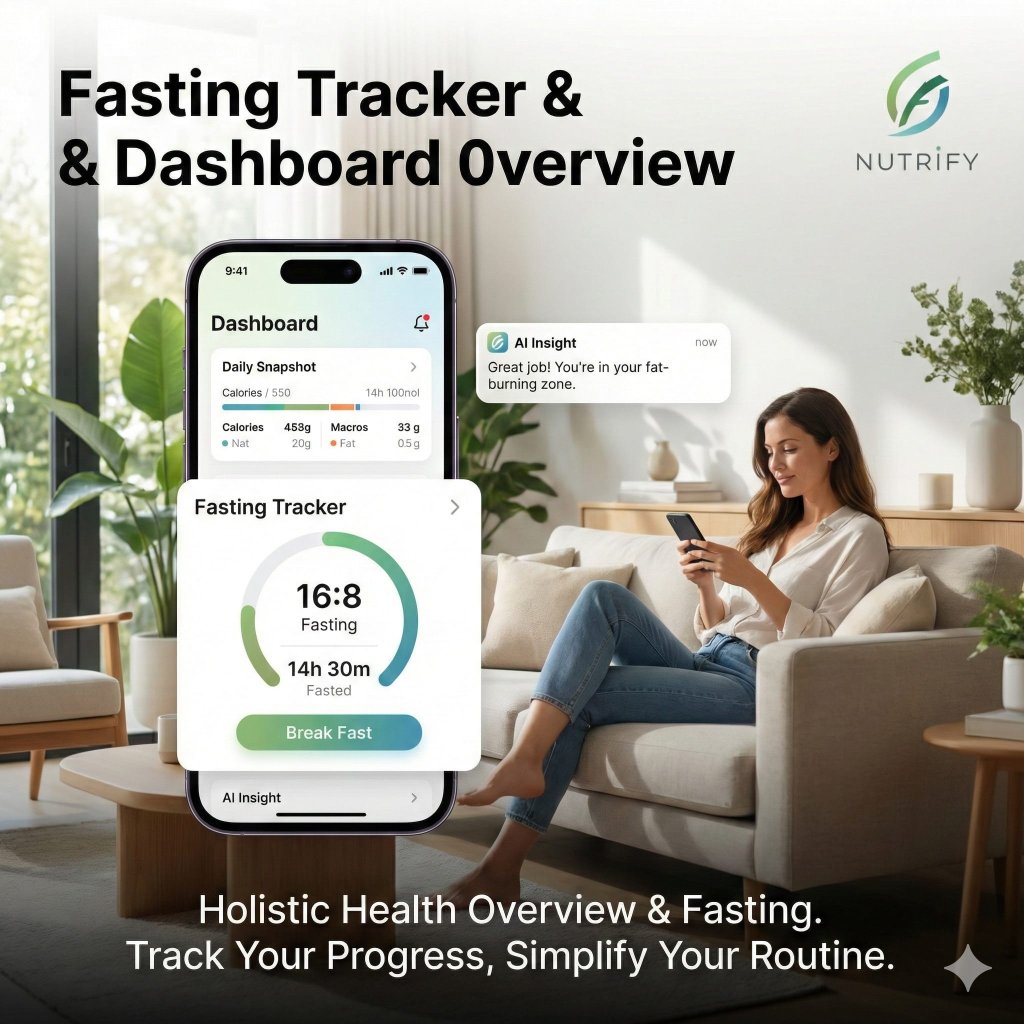
Training and eating live in the same place. Your nutrition targets are set to match your training goal, and the photo meal scanner logs what you eat in seconds — no typing.
- Photo calorie counting. Snap your plate and the AI logs calories, protein, carbs and fat automatically.
- Macros and protein targets. Protein, carbs and fat are tracked against targets tuned to your training, not a generic split.
See the AI calorie counter page for the full breakdown of photo logging.
Ask your AI coach anything
The AI coach is a 24/7 chat that knows your plan, your logged sessions and your nutrition. Ask why you are sore after leg day, what to eat before a morning run, how to fix a plateau, or whether to rest or push through — and get an answer in context, not a generic article.
It turns "should I train today?" into a quick conversation instead of a guess. The coach answers in context and can make small daily adjustments, but it never overrides your Week Setup rest days or approved sessions — you stay in control. And when you are unsure whether to push or rest, the Recovery Centre's daily readiness score, built from HRV, sleep, soreness and training load, gives you an honest read on how recovered you are. It is the bit a static plan can never give you: judgement that follows you through the week.
Who it's for
Nutrify AI meets people wherever they are starting from.
Beginners
Plans start at your level and progress gradually, with clear instructions and rest built in.
Busy people
Short sessions and a schedule that flexes around the days you actually have free.
People losing weight
Training paired with a calorie target and photo logging. See our AI for weight loss page. AI for weight loss →
Keto
Low-carb nutrition targets and recipes alongside your training. See our AI for keto page. AI for keto →
Free vs Premium
No credit card required. Cancel anytime.
Free
Access all core features with daily usage limits. No credit card needed.
Premium
Billed at $59.99/year
Unlimited access to every feature. No daily or weekly limits — ever.
AI fitness app FAQ
Everything people ask about training with an AI fitness app.
Is there a free AI fitness app?
Yes. Nutrify AI is free to download on iOS and Android, and the free plan includes 5 free AI actions a day, shared across all AI features. You can build a real training plan without paying — Premium simply removes the daily limits and adds unlimited plans, coaching and weekly reports.
Can an AI app make a workout plan?
Yes. Tell Nutrify AI your goal, how many days a week you can train, what equipment you have and your current fitness level, and it generates a structured programme with sets, reps, rest and progression. The plan adapts as you improve, and Redo day and Rebuild week let you regenerate a single day or the whole week — always confirming before they replace anything you have edited.
Does it work without a gym?
Yes. You can choose home workouts with no equipment, bodyweight sessions, or gym-based programmes. The AI tailors every exercise to what you actually have available, so a living-room workout uses your body weight and household items just as effectively as a gym session uses dumbbells and machines.
Does it track calories too?
Yes. Nutrify AI is a fitness and nutrition app in one. The photo meal scanner logs calories, protein, carbs and fat from a single picture of your plate, and a barcode scanner covers packaged foods. Your nutrition targets are set to match your training goal, so food and fitness stay aligned in the same app.
Is it safe for beginners?
Yes. Plans start at your level and progress gradually, with clear instructions and rest built in. The AI coach can answer questions about form, soreness and pacing, and you can scale any session down. As always, check with a doctor before starting a new exercise programme, especially if you have a health condition.
Is it on Android?
Yes. Nutrify AI is free on both the App Store and Google Play, and the workout plans, run/walk plans, meal scanner and AI coach work the same on iOS and Android. Your data syncs to your account, so you can switch devices without losing your history.
Keep exploring
Start your free plan
Download Nutrify AI free and build your first workout in minutes.
Not medical advice. Check with a doctor before starting a new exercise programme. Nutrify AI is not a medical device.
We use cookies for analytics and to measure our ads. You can accept or reject non-essential cookies. Privacy Policy